


Now that you’ve driven your Cadillac home from your neighborhood Cadillac dealer, you’re probably getting acquainted with its legendary road capabilities. But your Cadillac is also equipped with an advanced infotainment system to keep you and your passengers connected and engaged during your time on the road. This feature can control other systems in your vehicle as well. Here are a few tips and tricks for using the advanced Cadillac infotainment system.
Tips and Tricks for Using the Cadillac Infotainment System Available at Your Local Cadillac Dealer
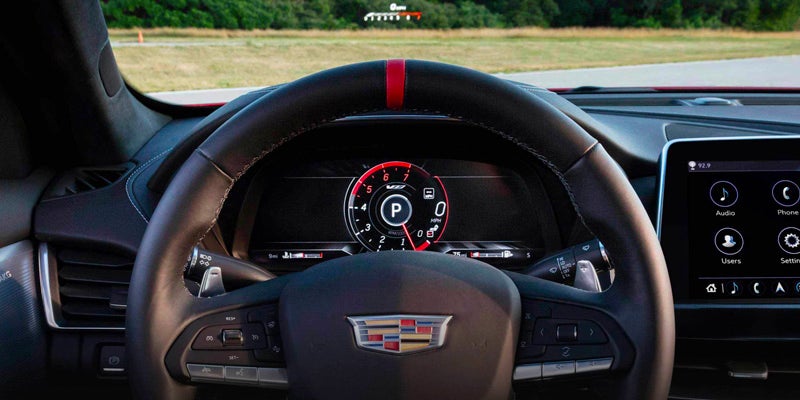
Setting Up Your User Profile
The infotainment system in your Cadillac is a hub for entertainment, information, and vital vehicle functions. To get the most out of this technology, set up a Profile and program personalized settings to create a curated driving experience. Create an account using your email and enter your information on the User tab on the infotainment system Home screen. Once your Profile is established, your Cadillac will remember your stored preferences, including:
- Recent navigation and route preferences
- Audio settings
- Home screen appearance
- Climate control settings
- Convenience settings including side mirror positioning
Your User Profile settings can even be linked to your Cadillac’s key fob and carried over to any GM vehicle with the same infotainment system technology as long as you have your key fob with you.
Key Infotainment System Features
Playing Audio and Personalizing Favorites
With the Cadillac’s infotainment platform, you can enjoy your favorite content while on the road. Through the Audio tab on the Home Screen, you can save up to 40 of your favorite audio sources and music stations and have them appear in a scrollable bar at the top of the Audio screen.
Customizing the Home Screen
The Home screen of your Cadillac’s infotainment center is where you’ll find apps for content, navigation, communication, information, and more. With simple press-and-hold gestures, you can arrange app icons so that you can find them more easily. On Cadillacs equipped with in-vehicle app service, you can download apps from The New York Times, Washington Post, and other sources for news, weather, and sports.
In-Cabin Ambient Lighting Preferences
Your Cadillac’s infotainment touchscreen display also enables you to program ambient lighting settings to personalize the ambiance inside the cabin. Customizable interior lighting preferences include:
- The color of interior light pipes
- The color of pin-spot lighting
- Cabin lighting brightness
Customizing Safety Features
Your Cadillac is equipped with advanced safety technologies that constantly monitor driving conditions around your vehicle. Through the infotainment system, you can adjust how these features work and personalize how your Cadillac notifies you of detected hazards and what actions it takes. Certain safety features can be disabled through your Cadillac’s infotainment touchscreen display.
Specific modifications vary from one Cadillac model to another, but these are the safety features that can be personalized through the infotainment system screen:
- Adaptive Cruise Control
- Automatic Emergency Braking
- Forward Collision Alert
- Lane Change Alert
- Rear Cross Traffic Alert
From its front grille to its tailpipe, Cadillacs are engineering marvels. To learn more about the Cadillac’s advanced infotainment system, connect with the knowledgeable sales team at Brown & Wood Cadillac in Greenville, NC today.
Connect with us


- 2026 Cadillac LYRIQ-V
- Brown & Wood Cadillac
- Brown & Wood Cadillac Service
- Cadillac
- Cadillac CT4
- Cadillac CT4-V
- Cadillac Escalade
- Cadillac LYRIQ
- Cadillac LYRIQ-V
- Cadillac OPTIQ
- Cadillac SUVs
- Cadillac VISTIQ
- Cadillac XT4
- Cadillac XT5
- Cadillac XT6
- Escalade IQ
- Greenville Cadillac Dealer
- Greenville Cadillac Service
- Greenville Used Cars
- Spring maintenance
- Uncategorized
Categories